
How to Choose a Diagnostic Tool for an Auto Workshop
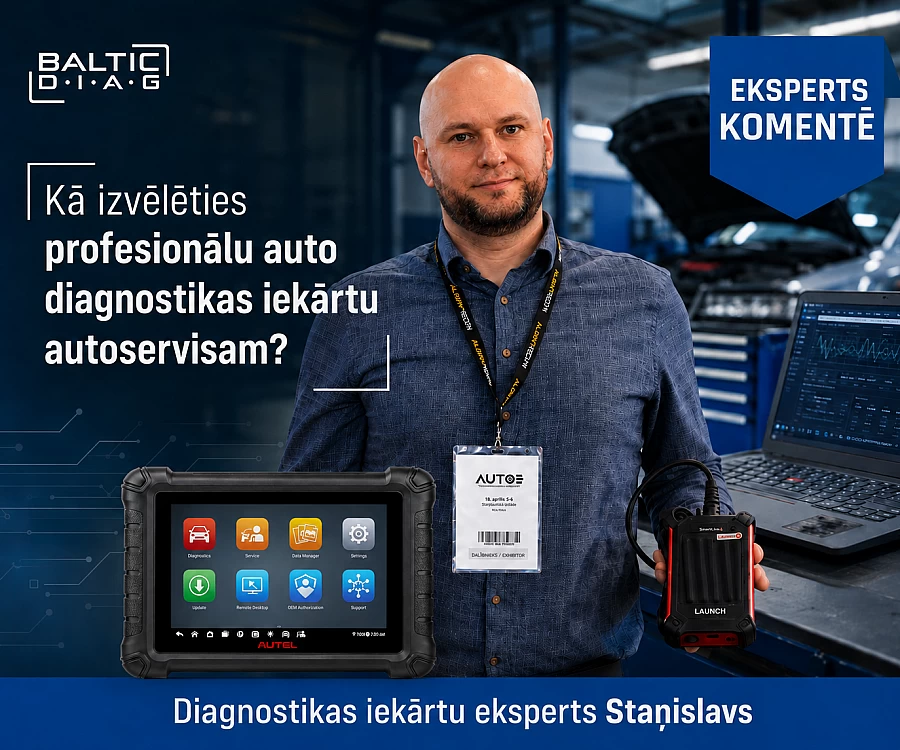
A professional diagnostic tool for an automotive workshop should be chosen according to the vehicles you service, the jobs you perform every day and the depth of diagnostics you actually need. For a general repair workshop, the priorities are usually all-system diagnostics, Live Data, Active Test and service functions. ECU programming, ADAS, TPMS and advanced automotive electronics work require higher-level equipment.
The key question is therefore not simply which diagnostic tool is the best. A better question is: which diagnostic tool best matches the real work carried out in your workshop?
In this guide, we look at the main types of automotive diagnostic equipment, the functions that matter most, purchase and ownership costs, and real AUTEL and LAUNCH models for different workshop requirements and levels of diagnostic capability.
What is professional automotive diagnostic equipment?
Professional automotive diagnostic equipment is a hardware and software solution that communicates with the vehicle's electronic control units, reads diagnostic information and performs diagnostic, testing and service procedures available for that specific vehicle.
Depending on the tool and the vehicle, it may provide:
- fault code reading and clearing;
- scanning of all supported control units;
- Live Data viewing;
- Active Test or component Active Test / bidirectional controls;
- service and adaptation functions;
- ECU coding;
- ECU programming;
- vehicle topology mapping;
- TPMS functions;
- support for ADAS diagnostics and calibration procedures;
- support for newer communication protocols such as CAN FD and DoIP.
Important: function availability depends not only on the diagnostic tool itself, but also on the specific vehicle make, model, model year and control system.
What types of automotive diagnostic tools are available?
In practical terms, diagnostic equipment can be divided into several levels according to functionality.
OBD2 code reader
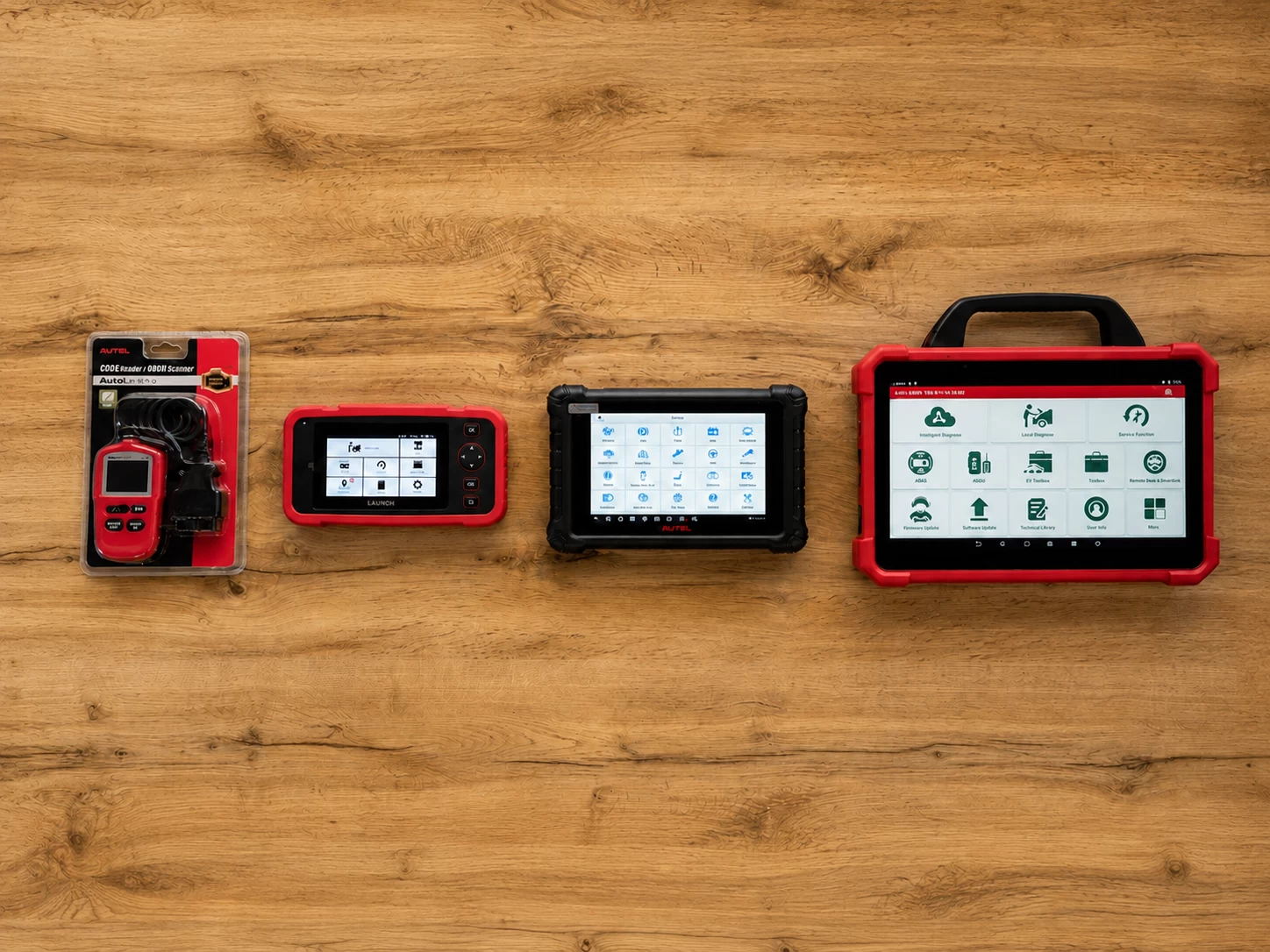
A basic OBD2 reader is mainly intended for reading and clearing OBD-II fault codes and viewing basic OBD-II Live Data. An example of this class is the AUTEL AutoLink AL329. It can be useful for quick checks, but this level of functionality is often too limited for a professional automotive workshop.
Diagnostic scanner
These tools can work not only with OBD-II engine data, but also with several other supported systems such as ABS, SRS and transmission. Depending on the model, they may also provide service functions and a broader range of Live Data. An example of this class is the LAUNCH Creader Professional CRP129 EVO.
Professional all-system diagnostic tool
At this level, you will typically find diagnostics for all supported control units, Live Data, Active Test, service functions and various adaptation or coding capabilities.
High-end diagnostic and programming system
This level adds ECU programming, J2534 Pass-Thru capability, vehicle topology, advanced diagnostic data and, on selected models, tools such as an oscilloscope, multimeter or other electrical signal measurement functions.
| Level | Typical use | Main capabilities |
|---|---|---|
| OBD2 reader | Quick basic check | DTC reading/clearing, basic OBD-II Live Data |
| Diagnostic scanner | Deeper diagnostics and maintenance | Multi-system DTCs and Live Data, service functions |
| Professional diagnostics | General automotive workshop | All supported systems, Live Data, Active Test, adaptations, service functions and coding on selected models |
| Advanced / programming | Automotive electricians and diagnostic specialists | J2534, ECU programming, topology and advanced diagnostics |
Which diagnostic tool does your workshop actually need?
Before comparing specific models, first define the profile of your workshop.
Small general repair workshop
The main priorities are usually diagnostics for all supported systems, Live Data, commonly used service functions and broad vehicle coverage.
If your workshop does not perform ECU programming or complex automotive electronics work, there is no need to start with a top-tier diagnostic platform.
Professional multi-brand workshop
At this level, Active Test, broader adaptation and coding capabilities, support for modern communication protocols and a reliable wireless connection to the vehicle become more important.
Automotive electrician or diagnostic specialist
For this type of work, ECU programming, J2534 Pass-Thru, vehicle network topology, advanced make-specific diagnostic functions and the ability to analyse electrical signals become increasingly important.
Tyre service workshop
If you regularly service TPMS systems, check whether the selected solution supports sensor reading, programming and relearn procedures or whether additional TPMS equipment is required.
Body repair, windscreen replacement or ADAS workshop
If your work requires camera or radar calibration after repairs, the diagnostic tablet is only one part of the process. Depending on the vehicle manufacturer's procedure, ADAS calibration may be static, dynamic or a combination of both. Static calibration generally requires suitable calibration equipment and the specified targets or panels, while dynamic calibration is carried out during a defined driving procedure with the diagnostic tool.

One of the most common mistakes when choosing diagnostic equipment is focusing only on the functions of the device and ignoring what happens after the purchase, including technical support, software updates, licences and warranty. Before I recommend a specific tool, I first find out what the customer plans to do with it, which functions they actually need and what budget they are working with.
1. Check vehicle coverage
A claim such as "supports more than 80 or 100 makes" does not mean that the same functions are available on every make and model.
Before buying, consider:
- which makes and models you service most often;
- which model years you typically work on;
- whether you service European, Asian or American vehicles;
- whether you need diagnostics for passenger cars, light commercial vehicles or heavy-duty vehicles;
- whether your workshop works with hybrids and electric vehicles;
- whether specific makes require Active Test, coding or programming.
In practice, it is more important to verify the required functions on the actual vehicles you service than to rely on a list of manufacturer logos.
2. All-system diagnostics, Live Data and Active Test
Reading engine fault codes alone is not enough for a professional workshop. The diagnostic tool must also be able to access other electronic systems when the vehicle supports them.
This may include:
- engine management;
- automatic transmission;
- ABS;
- SRS / airbag systems;
- climate control;
- body electronics;
- steering systems;
- comfort systems;
- ADAS control units;
- battery and energy management systems.
Why is Live Data important?
A fault code points you in a direction, but it does not always identify the actual cause of the problem. Live Data allows you to view sensor and control unit parameters while the vehicle is operating.
For example, you can compare temperatures, pressures, fuel trims, sensor signals and other parameters. Many professional tools can also display Live Data as graphs, making it easier to spot changes or compare several parameters at the same time.
What is Active Test?
Active Test, also known as bi-directional control, allows the diagnostic tool to send a command to a control unit and activate a specific component.
Depending on the vehicle, you may be able to test a cooling fan, fuel pump, relay, valve, lighting circuit or another electronically controlled component.
Active Test helps confirm whether a component responds to a command from the control unit and narrows down the possible cause of a fault. It does not, by itself, prove whether the component, wiring or control unit is defective, so additional electrical measurements or further checks may still be required.
Practical example: diagnosing an ABS fault
Suppose the ABS warning light comes on. A basic OBD2 reader may not provide access to the ABS control unit or may show only limited information. A professional diagnostic tool can read ABS fault codes and display Live Data from the wheel speed sensors.
If three wheel speed sensors show similar values while one intermittently drops to 0 km/h or shows a clearly different reading, this gives the technician a much clearer direction for further testing. The next step is to check the sensor itself, the wiring, connections and signal. This shows why professional diagnostics involves much more than simply reading a fault code.
3. Service functions: check what is actually supported
Manufacturers often advertise dozens of service functions, but the number alone should not be the main selection criterion.
Common workshop functions may include:
- oil service reset;
- electronic parking brake service;
- battery registration;
- DPF procedures;
- throttle adaptation;
- steering angle sensor calibration;
- transmission adaptations;
- various relearn and reset procedures.
What matters is whether the specific function works on the vehicles your workshop actually services.
Customers often underestimate service functions when choosing a tool. In daily workshop work, functions such as service resets, electronic parking brake maintenance, adaptation resets and DPF procedures quickly become useful. This is why a diagnostic tool should be selected not only for fault-code reading, but also for the service jobs you will actually perform.
4. ECU coding, ECU programming and J2534 are not the same
These terms often appear together in diagnostic equipment descriptions, but they refer to different processes.
ECU coding generally means changing control unit configuration or adapting specific parameters to the vehicle and its equipment.
ECU programming means writing or updating the software in a control unit. It may be required, for example, after replacing certain control units or when carrying out a manufacturer software update procedure.
J2534 Pass-Thru is an SAE-standardised interface for communication between diagnostic or programming software on a computer and the vehicle. It can be used for certain programming procedures, but J2534 support alone does not mean that one tool can program every ECU on every vehicle. Availability depends on the vehicle manufacturer's software, licences, the specific control unit and the required procedure.
For a more detailed explanation, see our guide ECU Coding and Programming - What Is the Difference?
If your workshop does not perform ECU programming, there is no need to pay for that capability. If programming is part of your regular work, J2534 and support for the specific makes you service become important selection criteria.
5. CAN FD, DoIP and Secure Gateway for newer vehicles
If your workshop works with modern vehicles, the communication capabilities of the diagnostic tool become increasingly important.
CAN FD is an evolution of CAN communication that supports larger data payloads and higher data transfer rates in certain operating modes.
DoIP, or Diagnostics over Internet Protocol, provides diagnostic communication using IP networking protocols, usually over an Ethernet-based in-vehicle network. It does not mean that diagnostics necessarily take place over the public internet.
Many newer vehicles use manufacturer-specific protected diagnostic access mechanisms. Secure Gateway, or SGW, is one term used in this context. Without the required authorisation, functions such as clearing faults, Active Test, service procedures, coding or other write operations may be restricted.
For workshops servicing newer vehicles, it is therefore important to look beyond basic vehicle coverage and also check support for modern protocols and authorisation mechanisms.
6. When is vehicle topology important?
Some higher-end diagnostic systems can display the vehicle's control units as a topology map.
This can help you quickly see:
- which control units are present and accessible;
- which modules contain faults;
- how the systems are connected;
- where communication problems may be occurring.
Topology does not replace diagnostic knowledge, but it can be a valuable part of the workflow when troubleshooting complex electronics and network faults.
7. Do you need TPMS, ADAS or EV support?
These capabilities are not a priority for every workshop, so they should be evaluated according to the work you actually perform.
TPMS
For a tyre service, TPMS sensor reading, programming and relearn procedures may be important. Some diagnostic platforms integrate these functions, while others require an additional module or a separate TPMS tool.
ADAS
A diagnostic tablet can guide or support the calibration procedure, but the required equipment depends on the vehicle manufacturer's procedure. ADAS calibration may be static, dynamic or combined. Static calibration generally requires a stand, targets or panels, while dynamic calibration is performed during a defined driving procedure.
Hybrid and electric vehicles
For EV diagnostics, the first priority is whether the software supports the specific vehicle models and control systems you work with. If the workshop also performs high-voltage system testing, measurements or repairs, appropriate working procedures, safety equipment and purpose-built measurement tools are required.
8. Software updates and total cost of ownership
The purchase price of a diagnostic tool is not the only cost. A professional workshop should evaluate total ownership cost over several years, including software updates and licences.
Before buying, check:
- how long the included software update period lasts;
- how much updates cost after that period;
- what happens if you do not renew updates;
- whether certain SGW functions require additional licences;
- whether you will need extra VCI, J2534, TPMS, ADAS or EV modules;
- whether the platform can be expanded later.
For professional LAUNCH X-431 devices, software update periods can be extended with separate renewal licences, so these costs should be included in the purchase decision. With AUTEL, you should also check the package contents and the update period included with the specific model.
9. Common mistakes when choosing diagnostic equipment
Choosing only by the number of supported makes
"100+ makes" says nothing about diagnostic depth on a specific vehicle. Check the functions you actually need on the makes and models you service.
Choosing by the number of service functions
Forty functions are not automatically better than thirty if you only use ten and the one extra function you actually need is not supported on the vehicle in front of you.
Confusing coding with programming
ECU coding and ECU programming are not synonyms. If your workshop needs programming, verify that specific capability and the supported vehicle makes.
Ignoring software update costs
A cheaper tool is not always the cheaper long-term solution if it requires expensive additional modules or licences.
Buying more capability than you need
If your workshop does not perform ECU programming, ADAS or advanced automotive electronics diagnostics, some high-end functions may never be used.
Buying a tool that is too basic
If the workshop grows and increasingly services newer vehicles, a basic tool may quickly become a limitation and force you to buy a second diagnostic system.
10. Real diagnostic tool examples for different workshop levels
AUTEL and LAUNCH offer several levels of professional diagnostic equipment. The examples below show how functionality changes as you move from daily diagnostics to programming and advanced automotive electronics work.
| Workshop level | AUTEL | LAUNCH | Best suited for |
|---|---|---|---|
| Entry-level professional diagnostics | MaxiCheck MX900 | LAUNCH Creader Professional MOT IV | Small workshops that need everyday multi-system diagnostics and service functions |
| Professional multi-brand workshop | MaxiSYS MS906 MAX | X-431 Euro Turbo II | Workshops that need Active Test, broader service functions and coding |
| Advanced diagnostics and programming | MaxiSYS MS909 | X-431 Euro Link | Diagnostic specialists performing programming and more complex electronics work |
| High-end diagnostics | MaxiSYS Ultra | X-431 Euro Tab III | Automotive electricians and workshops that need advanced diagnostics, programming and additional measurement capabilities |
AUTEL MaxiCheck MX900 and LAUNCH Creader Professional MOT IV: entry-level professional diagnostics
AUTEL MaxiCheck MX900 is a good example for a workshop that needs diagnostics for all supported systems, modern communication capabilities and everyday service functions without requiring a high-end ECU programming platform. It also supports CAN FD and DoIP.
LAUNCH Creader Professional MOT IV is an alternative for a small or general workshop that needs multi-system diagnostics, a broad set of service functions and Active Test / bidirectional controls. It also supports CAN FD and DoIP, making it suitable for work on a range of modern vehicles.
AUTEL MaxiSYS MS906 MAX and LAUNCH X-431 Euro Turbo II: for professional general workshops
These models represent the next level, where fault-code reading is complemented by Active Test, broader adaptations, coding and efficient diagnostics across supported systems.
AUTEL MS906 MAX provides all-system scanning, Live Data, bi-directional Active Test, coding and adaptations, as well as CAN FD and DoIP support.
LAUNCH X-431 Euro Turbo II is part of the professional X-431 range and is suitable for workshops that need professional multi-brand diagnostics without yet requiring a system at Euro Link or Euro Tab III level.
AUTEL MaxiSYS MS909 and LAUNCH X-431 Euro Link: advanced diagnostics
At this level, the focus begins to shift towards programming and more advanced work with vehicle electronics.
AUTEL MS909 uses a MaxiFlash VCI/J2534 interface and supports ECU coding and programming, DoIP and vehicle topology on supported vehicles.
LAUNCH X-431 Euro Link combines Live Data, Active Test / bidirectional controls, coding, specialised service functions, SmartLink VCI, DoIP and J2534 Pass-Thru. The platform can also be expanded with modules for additional workshop tasks.
AUTEL MaxiSYS Ultra and LAUNCH X-431 Euro Tab III: high-end diagnostics
These systems are designed for work where a diagnostic tablet alone is no longer enough.
AUTEL MaxiSYS Ultra uses MaxiFlash VCMI, which combines diagnostic communication with a four-channel oscilloscope, waveform generator, multimeter and CAN bus tester. This allows software diagnostics to be combined with electrical signal testing.
LAUNCH X-431 Euro Tab III is a high-end X-431 system with vehicle topology, coding and programming capabilities, SmartLink VCI, DoIP, CAN FD and J2534 Pass-Thru support. The system can also be expanded with an oscilloscope and other modules.
At this level, choosing between AUTEL and LAUNCH is no longer simply about which model has more functions. You need to consider workshop workflow, the vehicle makes you service, programming requirements, expansion options and technician preferences.
AUTEL or LAUNCH: which brand should you choose?
AUTEL and LAUNCH both offer several levels of professional diagnostic equipment, so it is not accurate to describe either brand as universally better. It is more useful to compare specific models from the same class according to the needs of the workshop.
The important differences include vehicle and function coverage, VCI capabilities, ECU Coding and Programming, CAN FD, DoIP, Secure Gateway and software costs. For a more detailed comparison of both platforms, see AUTEL vs LAUNCH Diagnostic Tools - Comparison for Auto Workshops.
What should you check before buying a diagnostic tool?
Before buying, check five things:
- Which vehicle makes and models do you service most often?
- Do you need Live Data, Active Test, coding or ECU programming?
- Do you work on newer vehicles using CAN FD, DoIP or protected diagnostic access?
- Will you work with TPMS, ADAS, hybrids or electric vehicles?
- What will software updates, licences and additional modules cost?
If you have clear answers to these questions, choosing the right diagnostic equipment becomes much easier.
Why is it worth trying diagnostic equipment before you buy?
At BalticDiag, we have seen cases where a customer initially wanted a professional diagnostic tablet, but after discussing their requirements and trying the equipment, it became clear that a PC-based diagnostic solution better matched their workflow.
For example, one customer wanted to use diagnostic software alongside other Windows applications. After testing different solutions, the customer chose Autocom on a computer instead of a standalone AUTEL or LAUNCH tablet.
This is a good example of why diagnostic equipment should not be selected from a specification table alone. How the tool fits into your day-to-day workflow matters just as much.
Do not choose diagnostic equipment based on specifications alone
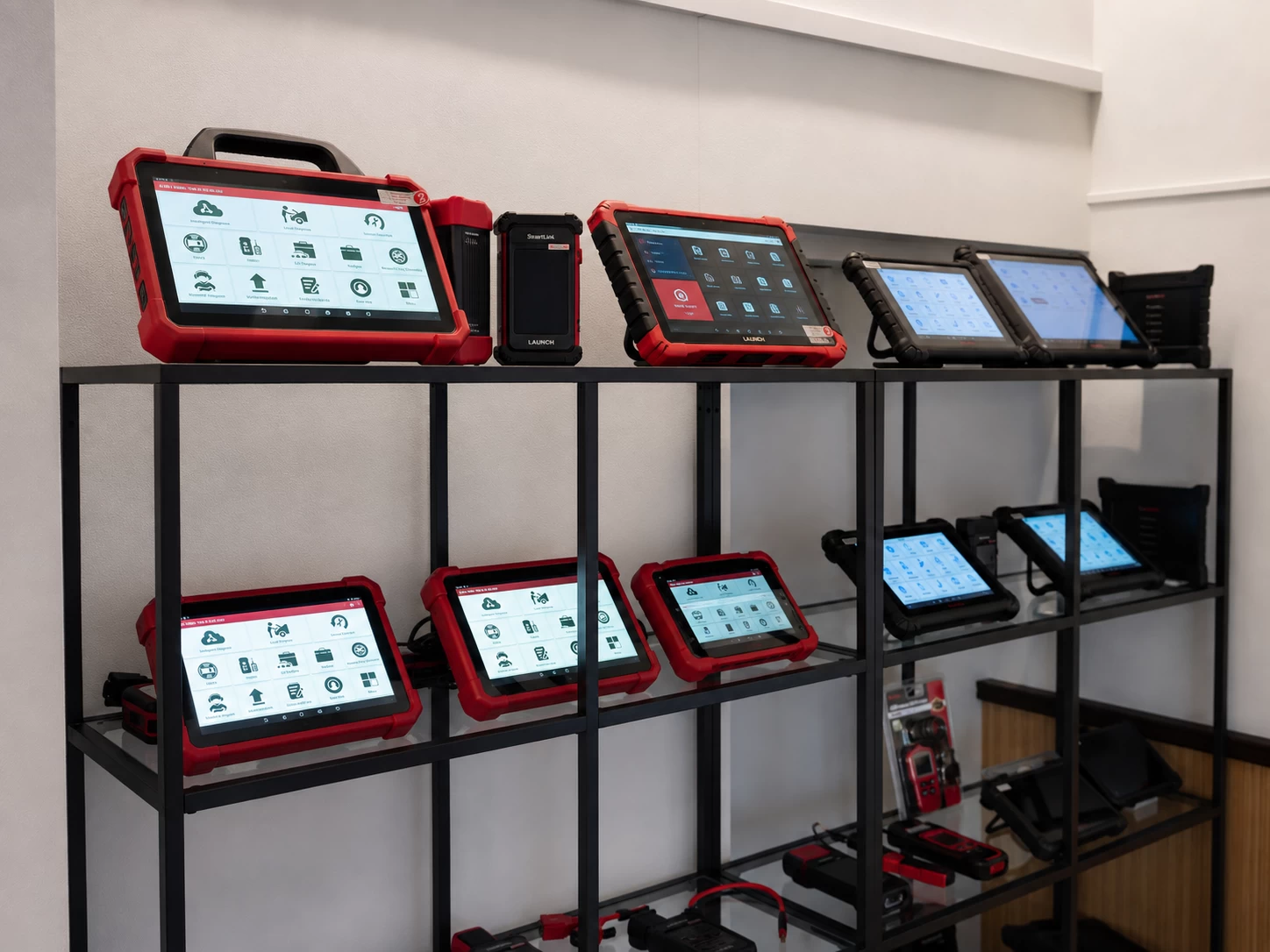
At the BalticDiag store, you can compare several AUTEL and LAUNCH models, switch the devices on, explore the interface and test the functions in practice, and discuss with a specialist which solution best fits your workshop.
Professional diagnostic equipment at BalticDiag
BalticDiag offers professional AUTEL and LAUNCH diagnostic equipment for automotive workshops with different requirements. You can compare models from different classes in person and see which functions are genuinely useful for your day-to-day work.
The goal should not be to buy the most expensive diagnostic tool. The best choice is a tool whose vehicle coverage, diagnostic depth and expansion options match the work your workshop actually performs.
If you are unsure which model to choose, BalticDiag specialists can help compare specific AUTEL and LAUNCH devices based on the vehicles you service, the functions you need and your budget.
Frequently asked questions
What diagnostic tool is suitable for an automotive workshop?
A general automotive workshop will usually need access to all supported systems, Live Data, Active Test and commonly used service functions. If the workshop performs ECU programming, ADAS, TPMS or advanced automotive electronics work, a higher-level diagnostic system may be required.
How is a professional diagnostic tool different from an OBD2 scanner?
An OBD2 reader is mainly intended for reading OBD-II fault codes and basic OBD-II Live Data. A professional diagnostic tool can provide access to a much wider range of vehicle systems, Live Data, Active Test, service functions, coding and, on selected models, ECU programming.
Will one diagnostic tool work with every car?
No universal diagnostic tool provides identical functionality on every vehicle. Support varies according to make, model, model year, control system and the specific function required.
What is Active Test in vehicle diagnostics?
Active Test, or bi-directional control, allows a diagnostic tool to send a command to a vehicle control unit and activate a specific component. It helps check whether the component responds to the command and narrow down the possible cause of a problem, although further testing may still be required.
Can a diagnostic tool program an ECU?
Some professional diagnostic systems can perform ECU programming. Programming capability varies according to the vehicle make, control unit, software and diagnostic interface used. J2534 support alone does not guarantee programming capability for every vehicle.
Do I need CAN FD and DoIP?
If your workshop services newer-generation vehicles, CAN FD and DoIP support is becoming increasingly important. These protocols may not be necessary when working mainly with older vehicles.
AUTEL or LAUNCH: which diagnostic tool should I choose?
There is no universally better brand. Compare specific models from the same class based on vehicle coverage, the functions you need, VCI capabilities and long-term costs. For a more detailed comparison, see AUTEL vs LAUNCH Diagnostic Tools - Comparison for Auto Workshops.