
Live Data and Active Test in Vehicle Diagnostics - What Is the Difference and How to Use Them Together?
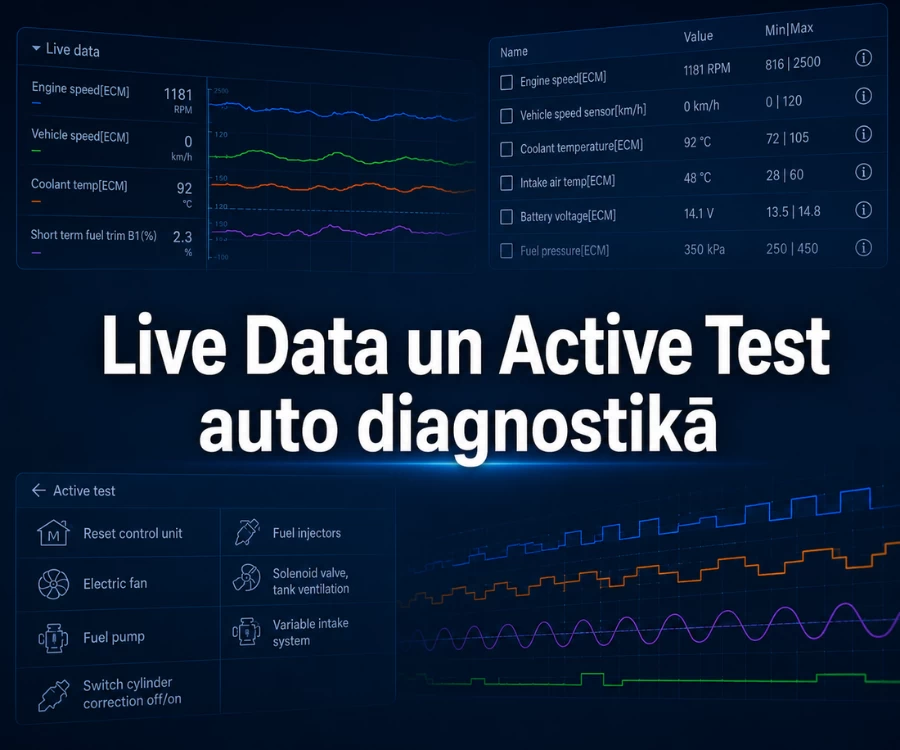
A fault code is often only the starting point of the diagnostic process. To understand what is happening in a vehicle at a particular moment and how a system responds to control commands, technicians use Live Data and Active Test.
Live Data allows you to monitor parameters made available by a control unit and see how they change in real time. Active Test allows a diagnostic tool to send a command to a supported control unit to activate a specific component or function.
Neither Live Data nor Active Test automatically identifies the failed component. They are diagnostic tools whose results must be interpreted together with other information and, where necessary, electrical or mechanical checks.
What is Live Data in vehicle diagnostics?
Live Data consists of parameters that a diagnostic tool reads from the selected vehicle control unit.
Depending on the system, these may include sensor readings, values calculated by the control unit, system statuses, control commands or other parameters made available for diagnostic purposes.
For example, depending on the vehicle, the engine control unit may provide coolant temperature, engine speed, MAF or MAP data, fuel pressure, fuel trims, O2 or A/F sensor data and calculated engine load.
The available parameter list will differ between control units. Live Data availability depends on the vehicle, the specific control unit and the diagnostic tool's software coverage.
What can Live Data show?
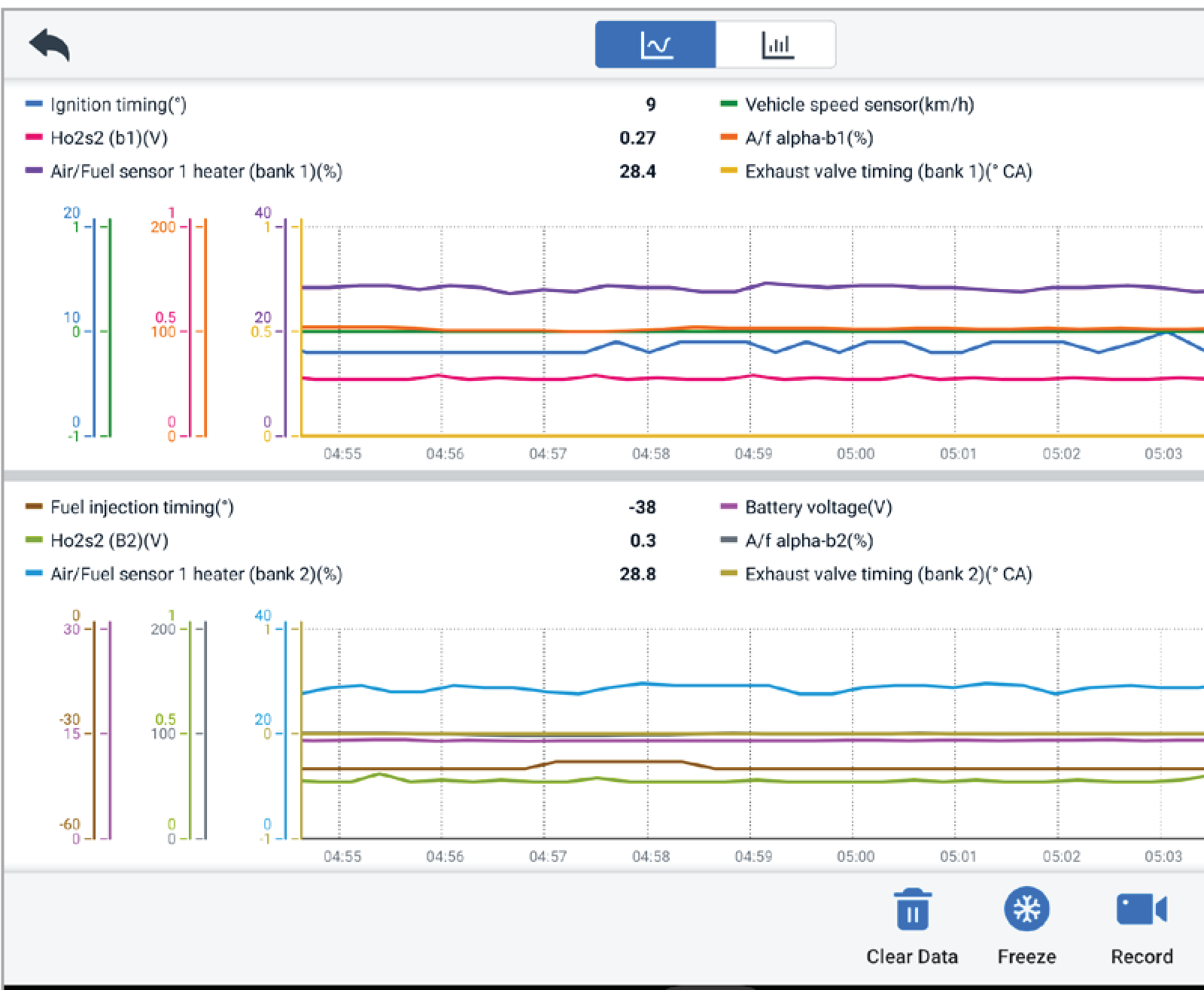
Live Data is more than a simple list of sensor values. Depending on the control system, a diagnostic tool may display:
- sensor readings such as temperature, pressure or airflow;
- values calculated by the control unit;
- system statuses;
- control commands, where the control unit makes them available for diagnostics;
- feedback parameters, where they are available in the specific system.
The fact that a diagnostic tool displays a particular value or status does not mean that this parameter alone identifies the cause of the problem.
OBD-II Live Data and manufacturer-specific data are not the same
Standardised OBD-II diagnostics provide access to defined regulated diagnostic information, mainly related to emissions and powertrain OBD. This is why many basic OBD2 scanners can also display supported Live Data parameters.
Manufacturer-specific diagnostics can provide access to a much broader range of data. Where the vehicle and control unit are supported, Live Data may also be available from ABS, transmission, SRS, climate control, body electronics and other control systems.
For a more detailed explanation, see the BalticDiag article OBD2 Scanner or Professional Diagnostic Tool - What Is the Difference?
How should Live Data be analysed?
A Live Data value should never be interpreted in isolation. Good analysis starts with a specific diagnostic question, appropriate test conditions and a selection of related parameters.
Why is one Live Data parameter not a diagnosis?
A common diagnostic mistake is to find an unusual Live Data value and immediately assume that the sensor or component associated with that parameter has failed.
For example, an unexpected coolant-temperature value does not by itself prove that the coolant-temperature sensor is faulty.
The engine condition and operating circumstances must be considered, the value should be monitored over time and compared with related data. Electrical or mechanical checks may also be required.
Why should you select related PIDs instead of watching the entire list?
In the OBD-II context, a PID, or Parameter ID, is a specific diagnostic data identifier. In diagnostic software, the term PID is also commonly used when referring to individual Live Data parameters available from the selected control system.
The objective is not to display the longest possible list of parameters. It is more useful to first define the diagnostic question and then select the parameters that can help answer it.
For example, when investigating a fuel-mixture issue, depending on the specific engine it may be useful to compare:
- fuel trims;
- MAF or MAP data;
- O2 or A/F sensor data;
- engine speed;
- engine load.
This is not a universal mandatory set of parameters. It illustrates the diagnostic principle: analyse related data rather than randomly selected values.
Why are Live Data graphs often more useful than a list of numbers?
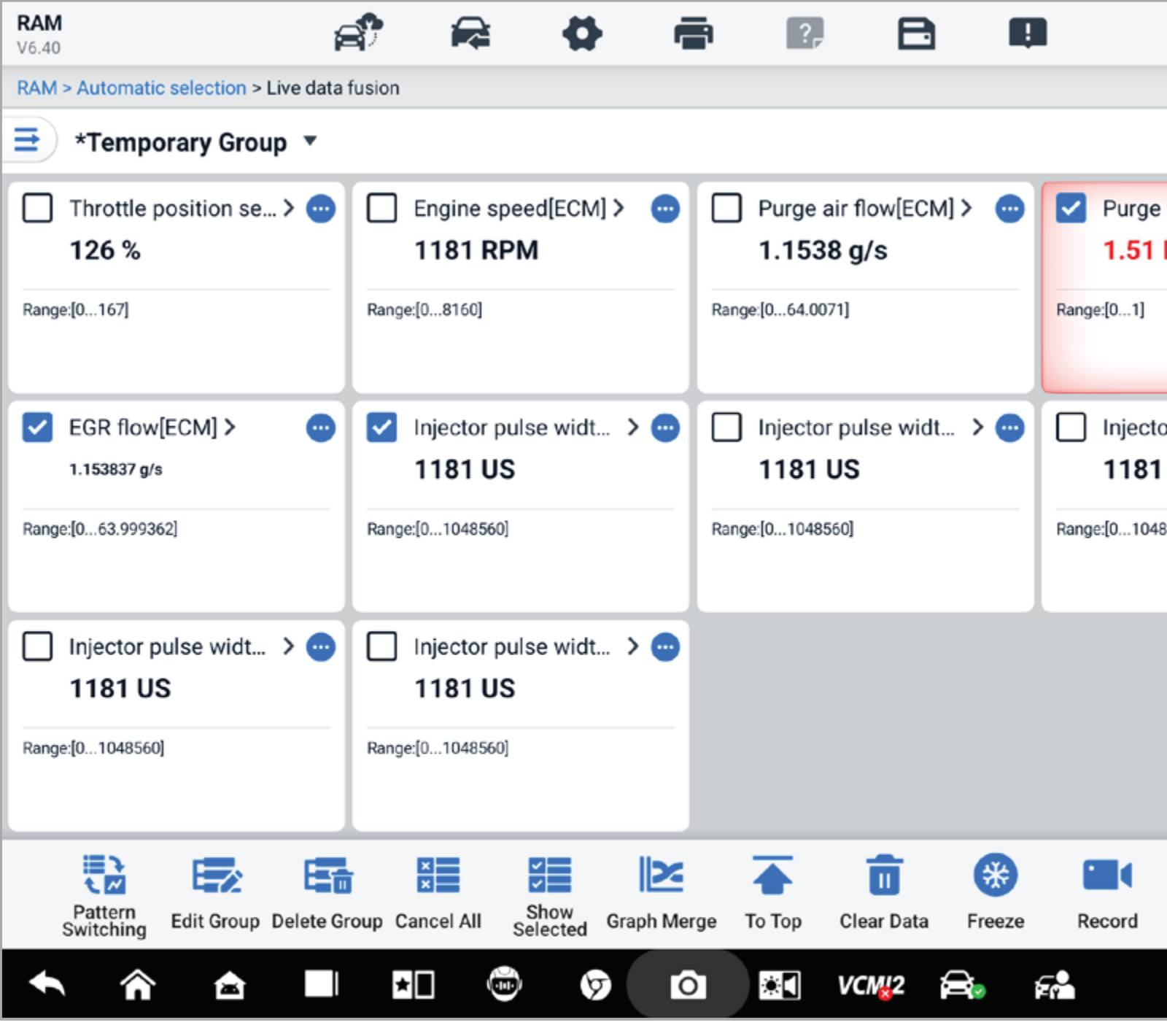
In text mode, you can see the value of a parameter at a particular moment. A graph makes it easier to evaluate how that value changes over time and how it relates to other parameters.
Graphs can help reveal:
- a sudden rise or drop in a value;
- a delayed response;
- periodic fluctuations;
- a short-lived anomaly;
- a relationship between several parameters.
They are particularly useful when a problem occurs only under a specific load or for a short period. A graph still does not identify the root cause by itself, but it can make changes and relationships in the data much easier to recognise.
Why is it useful to record Live Data?
Many symptoms do not appear while the vehicle is stationary and idling in the workshop. A problem may occur only while driving, under a particular load, at certain engine speeds, with a cold engine or after the vehicle has warmed up.
In these situations, Live Data recording can be very useful. The diagnostic tool stores the selected parameters so they can be reviewed and analysed after the test.
Recording can also be useful when comparing data before and after a repair, especially when the tests can be repeated under similar operating conditions.
How can data from several systems be compared?
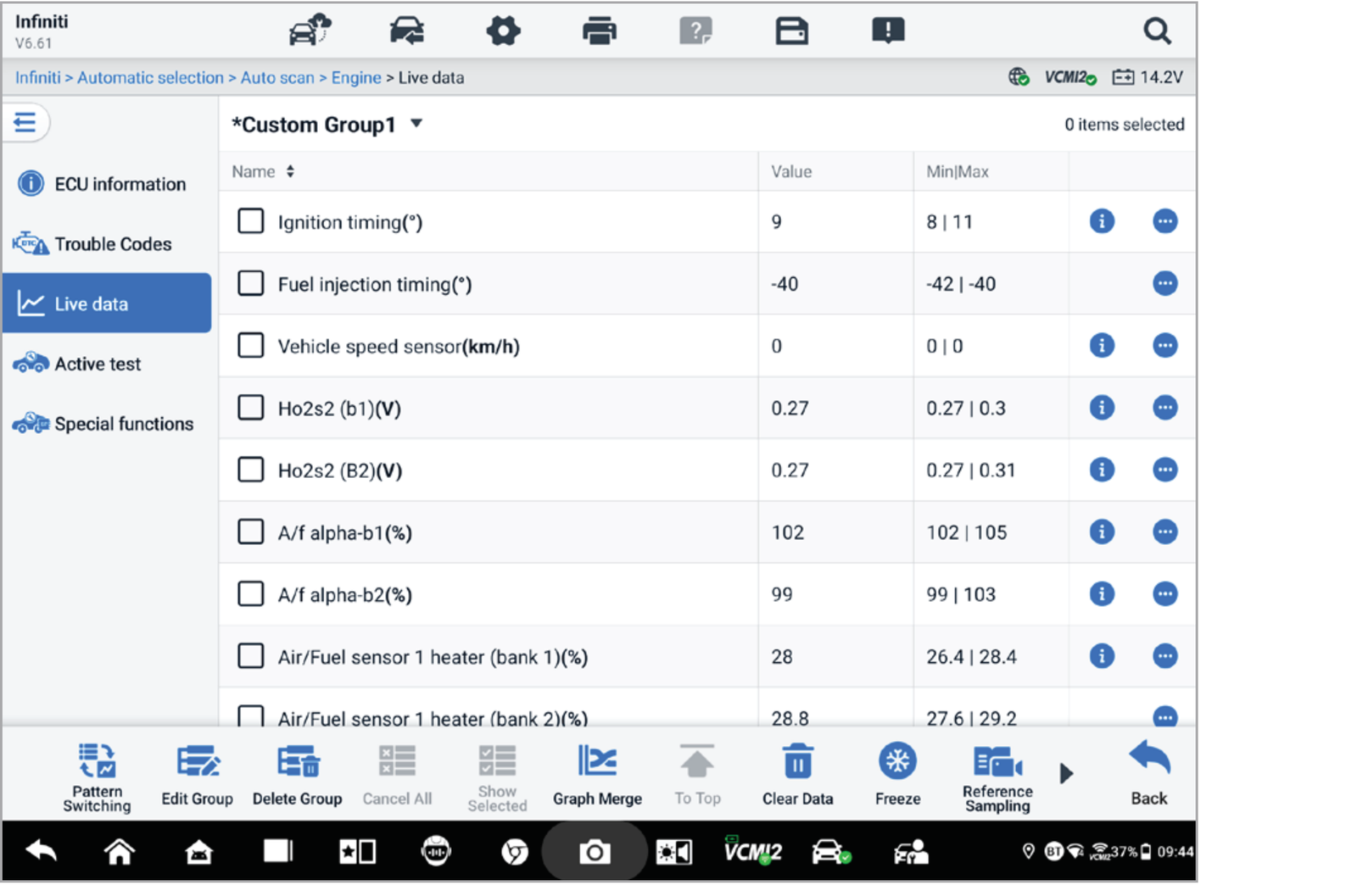
Not every diagnostic question is limited to a single control unit. Some professional diagnostic systems allow parameters from several supported systems to be compared together.
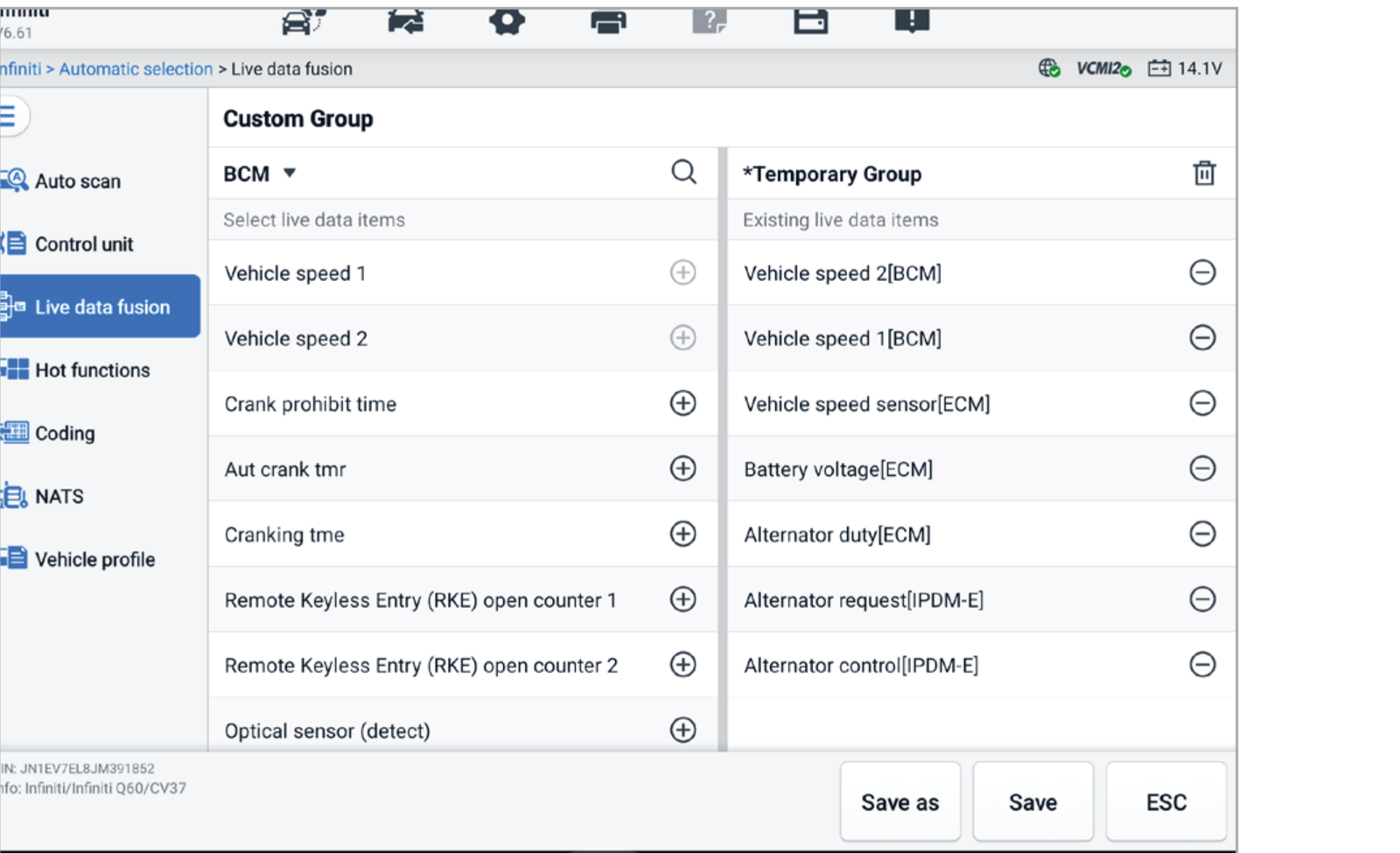
For example, the Live Data Fusion function available on selected AUTEL MaxiSYS S2 systems is designed to record and compare changes in values across multiple systems.
Note: Live Data Fusion is a feature of specific AUTEL diagnostic systems and is not a universal function available on every diagnostic tool.
What is Active Test?
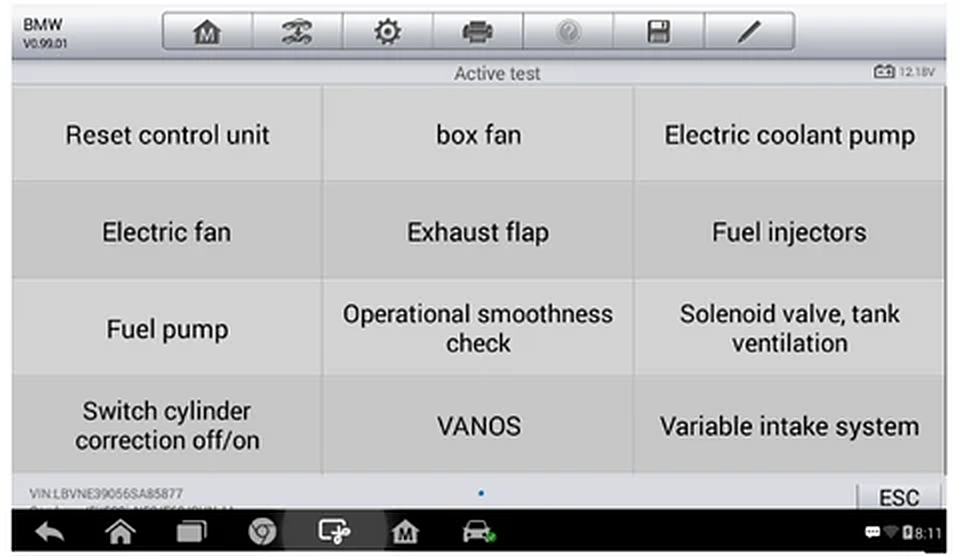
Active Test is one form of bidirectional diagnostic control. It allows the diagnostic tool to send a command to a control unit and request a specific supported action.
Depending on the vehicle and control system, this may include activating a cooling fan, fuel pump, electric coolant pump, solenoid or another actuator.
The available Active Tests are not identical on every vehicle. They depend on the vehicle, the specific control unit and the diagnostic software coverage.
What can Active Test help you check?
Active Test is useful when you need to check how a system responds to a specific control command.
For example, if there is a question about cooling-fan operation, without Active Test you may need to wait until the vehicle reaches the conditions under which the control unit would normally request the fan to operate.
If the vehicle and diagnostic tool support the relevant Active Test, the technician can request fan activation in diagnostic mode and observe the system response.
The same principle can be used with other electronically controlled components where the relevant test is available on the specific vehicle.
What can Active Test not prove?
Suppose the diagnostic tool sends a command to switch on the cooling fan, but the fan does not operate.
Depending on the system, the problem may be in:
- the component itself;
- the power supply;
- the ground connection;
- a fuse;
- a relay;
- the wiring or a connector;
- the control-unit output;
- another part of the circuit.
Active Test helps narrow the diagnostic direction, but it does not replace interpretation of the result or further measurements where they are required.
Safety and test prerequisites
Before performing an Active Test, make sure the conditions required for the specific vehicle and test are met.
Depending on the system, these conditions may relate to:
- ignition status;
- engine temperature;
- battery voltage;
- transmission position;
- other prerequisites for the specific test.
An Active Test may also switch on a fan, pump, electric motor, valve or another moving or electrically controlled component. The expected system response should be understood before the test, and safe working conditions must be ensured.
Important: if an Active Test cannot be performed, this does not automatically indicate a system fault. First check the test prerequisites and whether the function is supported on the specific vehicle.
How should Live Data and Active Test be used together?
Live Data and Active Test are best viewed as complementary diagnostic tools.
1. Command
Active Test is used to request a specific supported action.
2. Data
Related Live Data parameters are monitored where they are available.
3. Response
The technician checks whether the component or system physically responds.
4. Conclusion
The command, control-unit data and actual response are compared to determine the next diagnostic step.
Practical example: cooling fan
Suppose the operation of a vehicle's cooling fan needs to be checked.
- The diagnostic tool is connected to the vehicle and the relevant control unit is opened.
- Coolant temperature and other related parameters available on the specific vehicle are checked in Live Data.
- The technician evaluates whether the temperature data appears logical under the current operating conditions.
- Active Test is used to request fan activation.
- If a command or feedback parameter is available on that vehicle, its response is also monitored.
- At the same time, the technician checks whether the fan physically starts operating.
If the system data and physical response do not agree, the technician has a more specific basis for further electrical or mechanical checks.
Note: this is not a universal repair procedure for a particular vehicle make. It illustrates the diagnostic principle of using several sources of information together.
Why does a diagnostic tool not replace a multimeter or oscilloscope?
Live Data shows information that a control unit makes available to the diagnostic tool. This is not the same as measuring an electrical signal directly in the circuit.
If you need to check a power supply, ground, voltage, signal waveform or short-lived electrical disturbance, a multimeter, oscilloscope or another appropriate measuring instrument may be required.
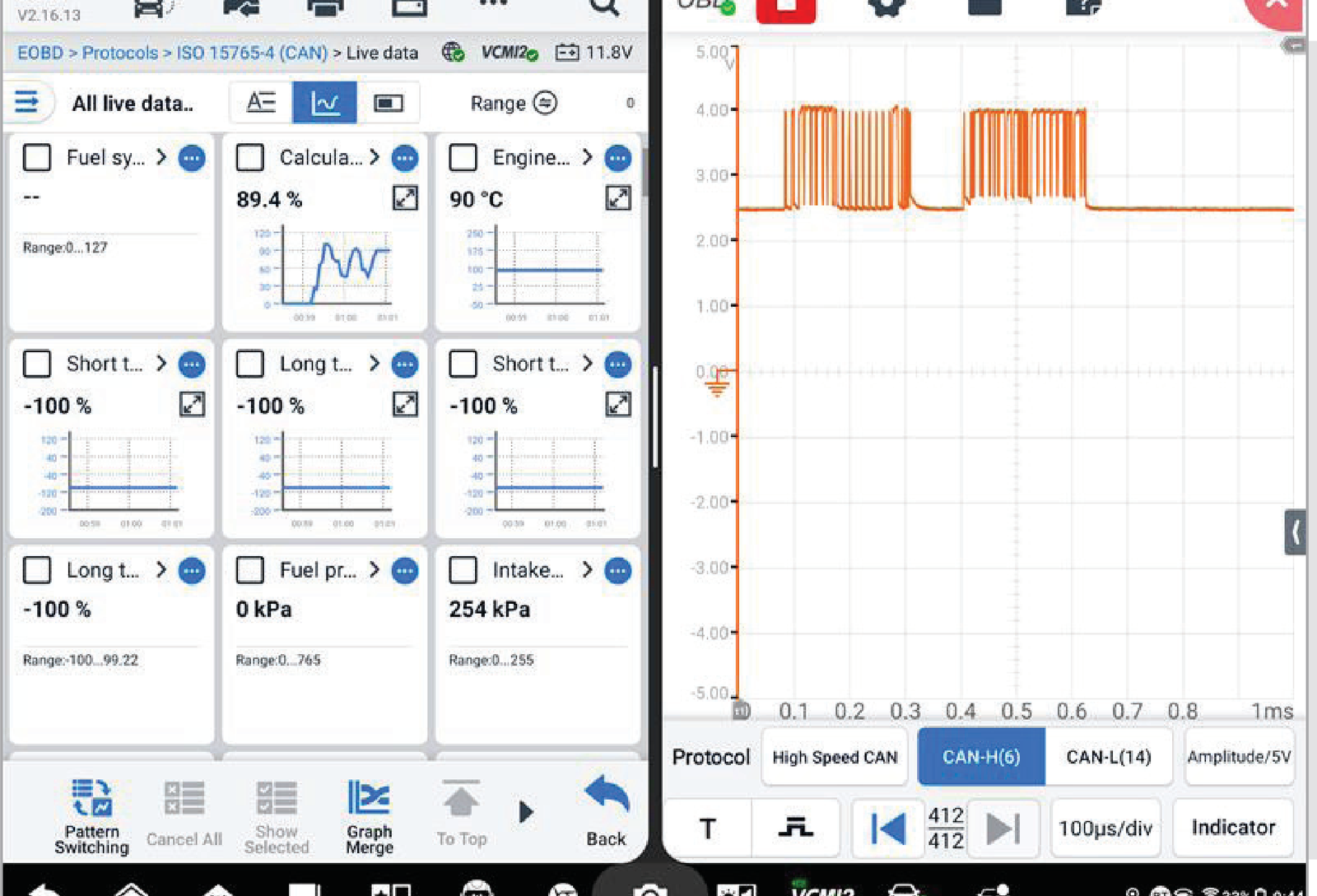
For example, Live Data may show a sensor value interpreted by the control unit, while an oscilloscope allows the electrical signal itself to be analysed over time.
On AUTEL Ultra S2 and MS919 S2 systems, Live Data and oscilloscope information can also be analysed in a split-screen view. This is a feature of specific higher-level systems rather than a standard capability of every diagnostic tablet.
When is Live Data enough and when does Active Test become useful?
| Diagnostic task | Live Data | Active Test |
|---|---|---|
| Monitor a sensor or control-unit parameter | Yes | Usually not required |
| Compare several parameters | Yes | Not its primary purpose |
| Analyse a problem while driving | Yes | Depends on the specific test |
| Record changes in data | Depending on the tool | No |
| Request component activation | No | Yes |
| Compare a command with system response | Yes | Yes |
| Automatically prove that a component is faulty | No | No |
In practice, the choice is often not “Live Data or Active Test”. More useful information comes from combining both functions with any other checks required by the diagnostic process.
Why does Live Data and Active Test availability vary between vehicles?
The fact that a diagnostic tool specification lists “Live Data” or “Active Test” does not mean that the same functions will be available on every vehicle.
Function availability is affected by:
- vehicle make;
- model;
- model year;
- the specific control unit;
- the function required;
- the diagnostic tool model;
- the diagnostic software version.
One vehicle may provide a large list of Active Tests, while another may offer only a few. The number and type of available Live Data parameters can also vary considerably between systems.
How can you check whether a diagnostic tool supports the function you need?
Before buying a diagnostic tool, define your requirement as specifically as possible.
Instead of asking only:
Ask:
Check the make, model, model year, control system and required function in the manufacturer's vehicle coverage information. If a particular function is important for your daily work, verify its support before purchasing the tool.
For a broader diagnostic-tool selection process, see the BalticDiag guide How to Choose a Diagnostic Tool for an Auto Workshop.
Diagnostic tools with Live Data and Active Test
Many professional diagnostic tools provide both functions, but support for the specific vehicle should always be checked.
One example is the AUTEL MaxiCheck MX900. AUTEL's official documentation lists Live Data and Active Test, as well as the ability to record Live Data and review saved diagnostic data.
This does not mean that every function is available on every vehicle. The specific vehicle and required function should be checked before purchase.
If you are choosing a professional diagnostic platform and want to compare AUTEL and LAUNCH beyond Live Data and Active Test, including VCI, CAN FD, DoIP, ECU Coding, ECU Programming and software costs, see our AUTEL vs LAUNCH diagnostic tools comparison for automotive workshops.
Frequently asked questions
Does Live Data show which component is faulty?
No. Live Data provides diagnostic parameters that help evaluate system operation. The cause of the fault must be determined by comparing relevant data and, where necessary, performing additional electrical or mechanical checks.
Does Active Test mean that the diagnostic tool finds the fault automatically?
No. Active Test allows a specific supported action to be requested. The test result can help narrow the diagnostic direction, but it does not identify the failed component by itself.
Can a basic OBD2 scanner display Live Data?
Yes. Many OBD2 scanners can display standardised OBD-II Live Data parameters. Manufacturer-specific professional diagnostics can provide a broader range of data and access to additional control systems on supported vehicles.
Is Active Test available on every vehicle?
No. Availability depends on the vehicle, the specific control unit, the function and the diagnostic tool's software support.
Can Live Data be recorded and analysed later?
It depends on the diagnostic tool. For example, the AUTEL MaxiCheck MX900 allows selected Live Data parameters to be recorded and the saved data to be reviewed later.
Live Data and Active Test are tools within the diagnostic process
Live Data and Active Test are not competing functions.
Live Data helps you understand what information the control unit makes available for diagnostics at a particular moment and how those values change. Active Test helps you check how a supported system responds to a specific control command.
Using both functions together makes it possible to compare the command, diagnostic data and the vehicle's actual response. If the results do not agree, the technician has a more specific basis for deciding what to check next.
The important question is not how many functions are listed in a diagnostic tool's specification, but whether the functions you actually need are supported on the vehicles and control systems you work with.
Need a diagnostic tool with Live Data and Active Test?
BalticDiag offers automotive diagnostic tools for different levels of workshop work. Before choosing a tool, check not only whether a function is listed in the specification, but whether it is supported on the specific vehicles and control systems you need to diagnose.
View car diagnostic equipment